CMOS reset
Dasharo firmware can restore all UEFI settings to their defaults when the CMOS is cleared. This makes it easy to recover a device that no longer boots correctly due to misconfigured firmware settings, without needing access to the setup menu.
How it works
On every boot, the firmware checks whether the CMOS contents are still valid. If the CMOS was cleared, the firmware erases the UEFI settings stored in the SPI flash variable store (SMMSTORE), so the next boot uses the default configuration.
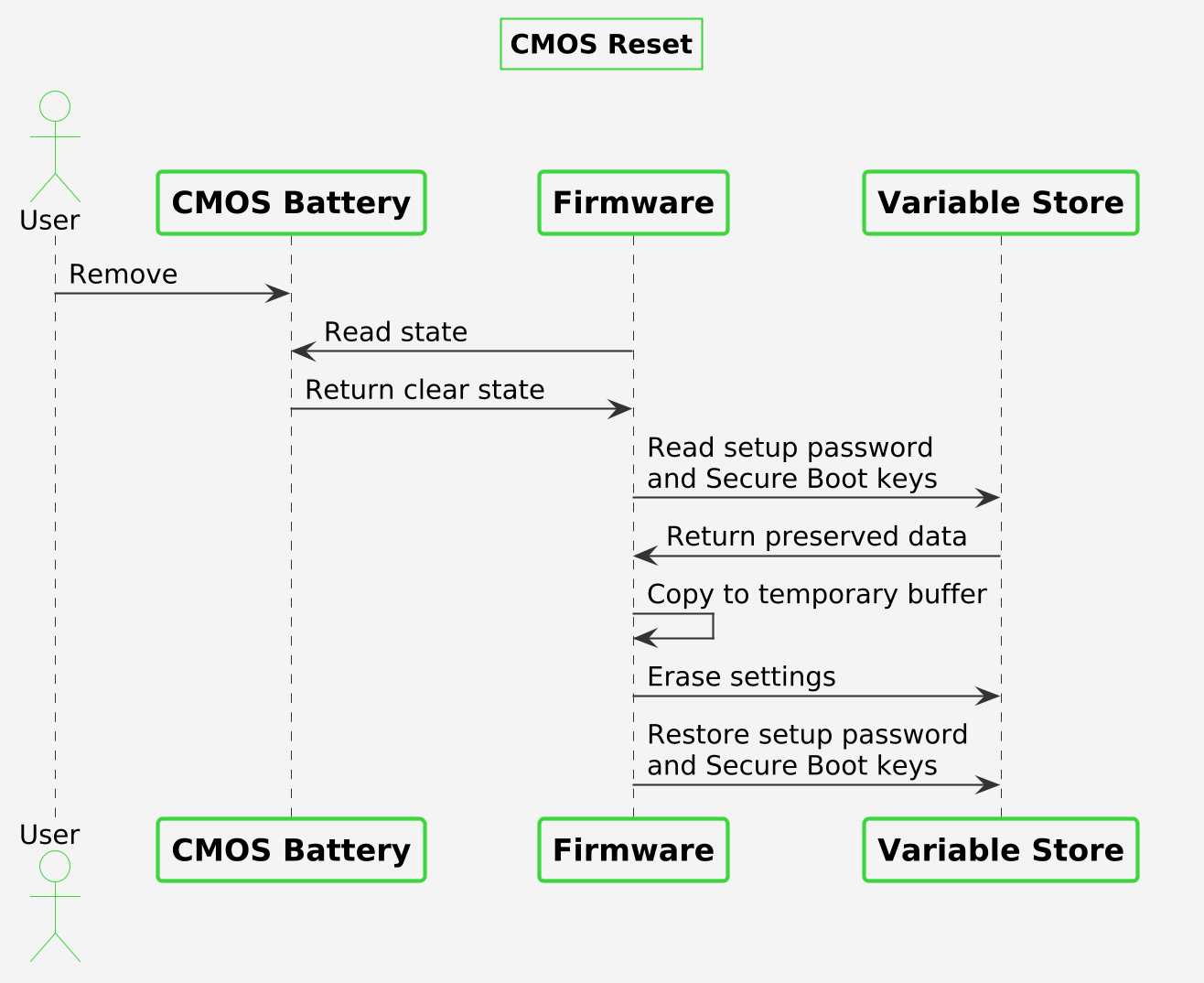
The following data is preserved across the reset:
- the setup menu password
- the UEFI Secure Boot certificates (PK, KEK, db, dbx)
These are copied aside before the SMMSTORE is erased and restored afterwards, so a CMOS clear does not require re-entering the setup password or Secure Boot keys.
Clearing the CMOS
- Power off the device and disconnect the power adapter.
- Open the case, temove the CMOS battery, wait over 10 seconds and reinstall it.
- Power on the device. The first boot after the reset may take longer than usual.
- Power off the device and disconnect the power adapter.
- Open the case and locate the CMOS header. Header locations for each model are shown in the Recovery section.
- Short the
CMOSandGNDpins of the header for a few seconds, e.g. with a jumper. - Remove the jumper, close the case and power on the device. The first boot after the reset may take longer than usual.
Use case
A user changes a setting in the setup menu, after which the device no longer boots and the setup menu cannot be entered. Clearing the CMOS returns all settings to their defaults, while the setup password and Secure Boot keys stay in place, so the device can boot again without being reflashed.